


iFly EFB
4.9366.00 Reviews
App Specs
- Version
- Varies with Device
- Updated On
- License
- Free
- Downloads
- 50,000+
- Developer
- Adventure Pilot, LLC
- Categories
- Maps & Navigation
- Platform
- Android
Screenshots
 Analysis by AppCompare
I often think about aviation apps in terms of the device they share space with: a tablet used for planning at home, a phone that may belong to someone else, and the equipment a pilot brings to the cockpit. That makes iFly EFB an interesting choice for pilots who want flight-planning and navigation tools in one place, but it also calls for a little care around accounts, saved material, and who handles the device. I found it most useful to judge it as a pilot’s working tool rather than a general-purpose map app.
When one device serves both home and flying
A realistic shared-use situation is a pilot preparing a route at home on a tablet while another household member uses that tablet for ordinary browsing later. The convenience is obvious: a larger screen can make it easier to inspect a route and organize flight material before departure. The trade-off is that a flight-planning workspace should not be treated like a casual family app. I would agree in advance who is responsible for changing plans, checking current information, and putting the device back into its flight-ready state.
If two pilots in one household take turns flying, the app can be part of a shared preparation routine, but I would not assume that a shared device automatically means shared responsibility. Each pilot should personally review the route and the information they intend to use. A saved plan is a starting point, not proof that it suits a different aircraft, day, or pilot. Keeping the handoff explicit is more useful than relying on someone else’s last session.
Set boundaries before the tablet reaches the cockpit
For a household device, I would separate ordinary use from flight preparation with a simple routine: finish the planning session, confirm that the relevant material is available, and avoid letting unrelated users make changes afterward. That is not a special family feature; it is just sensible device management. It matters especially when the tablet is passed among people who may not recognize the difference between a draft route and something a pilot has checked.
There is also a practical distinction between using an app on a phone and using it on a larger screen. A phone is easy to carry and can be handy for checking something while preparing, but its smaller display is less comfortable for reviewing a broad map or several pieces of information at once. I would use the device that best fits the task and the cockpit setup, rather than assume that moving between devices means every detail will always be ready in exactly the same way.
Coordination is useful, but it does not replace a pilot’s review
When one person helps with preparation and another will fly, coordination can save time. The helper might gather the documents the pilot needs or make a preliminary route plan, while the pilot checks the choices that affect the actual flight. I would treat that division as a convenience, not a transfer of responsibility. The pilot still needs to understand the route and independently assess the information before relying on it.
This is also where a focused workflow pays off. Before departure, I would review the plan, inspect the map at a useful scale, and check that the documents I expect to consult are easy to find. That modest check is more valuable than filling the device with material and hoping the right item will be obvious later. A tidy digital flight bag should reduce cockpit rummaging, not create a new search task.
Worth Reading Before You Choose

EA SPORTS FC Mobile 26 Is a Bigger Football Game, but It Takes Time

Flipboard Shows What News Apps Must Do Beyond the Feed

Switching to Android Auto Means Rethinking Your Driving Routine

Google Calendar Makes a Crowded Week Easier to Manage

Ludo King Makes the Most of the Minutes Between Plans

Baby Panda World Brings Quick Play to Modern Phones, but Its Game Library Feels Busy
Age, trust, and sensible expectations
The app is rated for Everyone, but its purpose is aviation, so I would not mistake that age label for a recommendation that children use it unsupervised. A young aviation enthusiast might enjoy looking at maps with an adult, while flight preparation and operational decisions belong with a qualified, responsible pilot. In a household, the important boundary is not whether someone can open the app; it is whether they understand the consequences of changing or relying on flight information.
I also would not treat an electronic flight bag as a substitute for training, judgement, or required procedures. An attractive moving map can make information easier to view, but it cannot decide whether a flight is appropriate. That distinction is worth making clear to anyone who shares the device, particularly if they are curious about the tools without being involved in flying.
For pilots comparing options, this sits in a different lane from a general navigation app. A road map app is built around getting from one street to another; an EFB is meant to support aviation planning and cockpit awareness. The right comparison is with other aviation-focused tools, where chart availability, workflow, device fit, and the pilot’s own habits matter more than familiar consumer-map features. I would choose a general map for errands and this kind of specialist app only when the aviation task calls for it.
That specialist focus also means it may be more than a casual user needs. If you only want to follow a passenger flight or browse maps out of curiosity, a dedicated EFB may feel like the wrong tool. If you are a pilot who wants planning and navigation together, it is much closer to the job. The best fit depends on whether you will make use of its aviation workflow, not simply on how many features appear in the interface.
Adventure Pilot, LLC develops the app, which is free to install and offers in-app purchases ranging from $0.99 to $179.99 per item. I would look carefully at what an optional purchase adds before paying, then compare it with the specific tasks I need to handle. The broad range makes it especially sensible to decide on requirements first rather than buying add-ons just because they are available. It has an average rating of 4.8 from 624 ratings, with 50K+ installs, but those figures are context, not a substitute for checking whether its workflow suits your flying.
First Impressions: An All-in-One Virtual Co-Pilot
The first thing that struck me about the iFly EFB is its user-friendly design. Right from the get-go, the interface feels intuitive, even for someone who isn't super tech-savvy. Everything is laid out in a way that just makes sense, with clear icons and easy-to-navigate menus. After downloading it from the app store, I was up and running in no time.
One of the standout features is its seamless integration with both Android and iOS devices, which means you can switch from your tablet to your phone without a hitch. This flexibility is a godsend when you're juggling multiple devices in the cockpit.
Features Galore: Simplifying Flight Planning
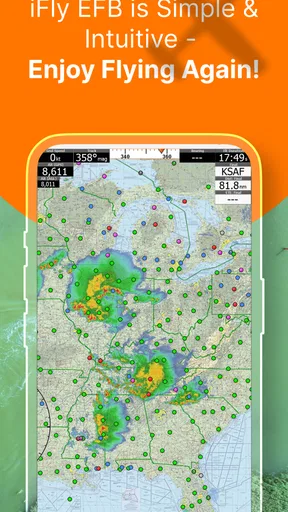
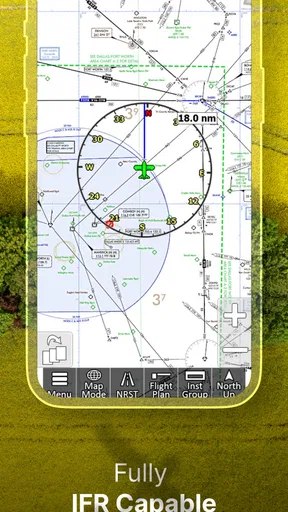
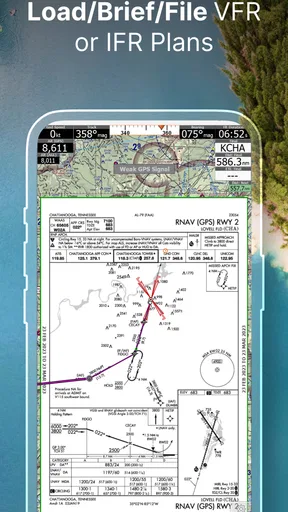
Now, let’s talk about the features. The app comes loaded with a plethora of tools that make flight planning a breeze. The interactive map feature is a game changer. You can easily zoom in and out, view different layers like weather, terrain, and airspace. Plus, it updates in real-time, ensuring you have the latest information at your fingertips.
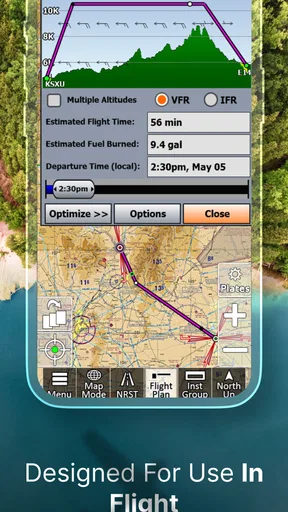
The flight planning tool is incredibly robust. It allows you to create, modify, and save flight plans effortlessly. I especially loved the way it lets you calculate weight and balance, fuel requirements, and even suggest alternative routes based on weather conditions. Talk about having a virtual co-pilot!
In-Flight Navigation: Confidence in the Cockpit
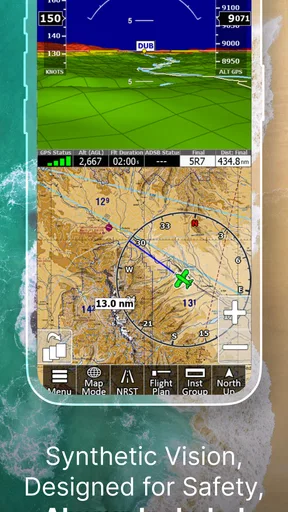
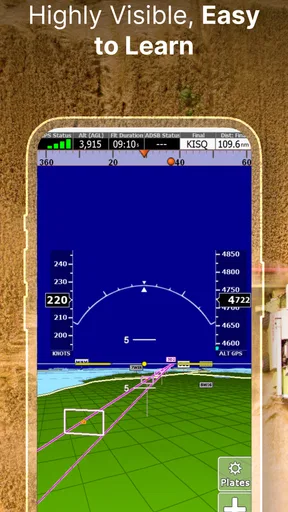
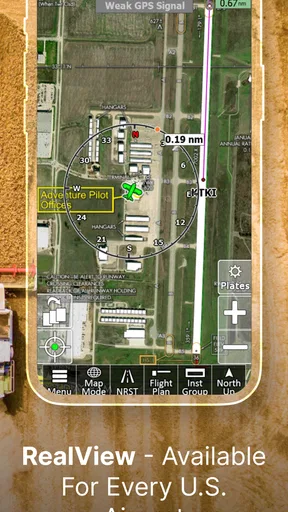
Once you're airborne, the iFly EFB really shines. The moving map display is an absolute lifesaver, providing situational awareness with its clear and precise graphics. It’s like having your own personal air traffic control, but without the stress.
The app also supports comprehensive weather information, showing everything from METARs and TAFs to radar and satellite imagery. Being able to see weather patterns unfold in real-time helps make informed decisions, enhancing safety and peace of mind.
Extras and Add-ons: Tailoring Your Experience
What’s cool about the app is that it’s not just about flying; it’s about enhancing your overall aviation experience. There are several add-ons available that you can purchase to tailor the app to your needs. Whether it’s advanced flight planning tools or additional weather features, you can customize your toolkit.
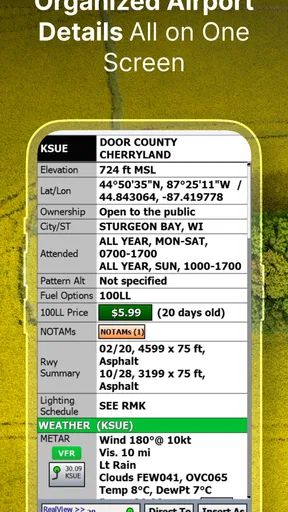
Another nifty feature is the document management system. It allows you to store and access charts, manuals, and other crucial documents right from the app. No more fumbling through papers in tight cockpit spaces!
Final Thoughts: A Must-Have for Aviators
All in all, the iFly EFB is a powerful tool that lives up to its promises. Whether you're a seasoned pilot or just starting your flying journey, this app has something to offer. Its comprehensive features, ease of use, and real-time updates make it an indispensable addition to any pilot's toolkit.
If you’re looking to streamline your flight operations and enhance your situational awareness, give it a try. It’s like having a co-pilot right there on your device, ready to assist you at every turn. Happy flying!
How I would decide whether it belongs in my routine
My practical test would be to use it during preparation, not to judge it by a quick look at the map. Can I build a route without losing track of the details? Can I locate the documents I intend to use without rummaging? Can I review the weather and route information in a way that supports my own decision-making? Those are better questions than whether the screen looks impressive. An EFB earns its place when it makes a pilot’s normal workflow clearer and more organized.
For a pilot who flies regularly and values having planning, map, weather, and reference material together, the app has an appealing role. It may also suit someone moving from paper-based preparation who wants to explore a digital workflow, provided they take time to learn the app before depending on it. I would not make the first serious use of any unfamiliar tool a rushed cockpit experiment. Get comfortable with how you organize and review information while there is time to think.
A useful habit is to keep a deliberate distinction between preparation and decision. The app can help collect and display information, but the pilot needs to interpret it in light of the aircraft, conditions, and applicable procedures. For example, an alternate route suggestion is something to evaluate, not an instruction to follow automatically. The more capable the planning tools seem, the more important it is to keep that human check in the workflow.
What to check before relying on it for a flight
Before a flight, I would make sure the chosen device is charged and positioned where it is practical to consult, then review the materials I expect to need rather than assuming I will find them quickly later. I would also check current aviation information through the sources and procedures appropriate to my operation. A live-looking display should never encourage complacency: connectivity, device behavior, and the freshness of information are practical considerations for any digital flight tool.
That is one trade-off compared with paper references. Digital material can be easier to organize, zoom, and carry in one place, while paper can be straightforward to consult without navigating an interface. Neither approach removes the need to know what you are looking at. I would choose a primary workflow I understand and have a suitable backup plan, rather than treating one screen as the whole safety strategy.
Another point to consider is cockpit attention. A moving map can be useful for orientation, but frequent tapping or layer changes can distract from flying if the pilot is not already comfortable with the controls. I would set up the view and organize documents before departure whenever possible. The strongest benefit is not constant interaction; it is having relevant information ready when a quick glance is appropriate.
Who will appreciate it, and who may prefer something else
I see the clearest fit for pilots who want an aviation-specific workspace and are willing to learn its planning and navigation tools. The combination of route preparation, weather context, a moving map, and stored documents can make a device feel more purposeful than a collection of separate general apps. It may also help a household with more than one pilot keep preparation in a familiar place, as long as each person checks the details for their own flight.
On the other hand, someone who flies only occasionally and already has a trusted, simple method may not gain enough from adopting another system. A pilot who prefers paper charts or uses a different EFB workflow may reasonably stick with what they know, especially if changing tools would add training or subscription decisions without solving a real problem. And for non-pilots, it is not a replacement for ordinary travel navigation; its aviation focus is the point, but it can also make it unnecessary for everyday directions.
My household verdict is that this is best treated as one pilot’s serious working tool, even when the tablet itself is shared. The app can support a coordinated routine, but clear handoffs and individual review matter more than the shared screen. I like the idea of its all-in-one approach, particularly for keeping planning and reference material close together, while I would remain careful about add-on choices, device readiness, and the limits of any digital aid. For the right pilot, it is worth exploring; for everyone else in the home, a clear understanding of who manages it may be the most useful feature of all.
Pros
- User-friendly interface enhances navigation.
- Real-time weather updates for safer flights.
- Customizable charts for personalized views.
- Offline access to essential flight data.
- Frequent updates improve functionality.
Cons
- Can be resource-heavy on older devices.
- Subscription required for full features.
- Initial setup can be time-consuming.
- Limited support for international routes.
- May require steep learning curve for beginners.
FAQs for iFly EFB
What is iFly EFB and who is it designed for?
iFly EFB is an advanced electronic flight bag application designed for pilots. It provides comprehensive navigation tools, real-time weather updates, and flight planning features. Whether you're a private pilot or a commercial aviator, iFly EFB aims to enhance your flight experience by offering detailed charts and seamless integration with various devices.
What devices and platforms is iFly EFB compatible with?
iFly EFB is compatible with both Android and iOS devices, making it accessible for a wide range of users. The app is optimized for tablets and smartphones, ensuring that pilots have a flexible and portable solution for all their in-flight navigation needs. Check the specific device requirements before downloading.
Does iFly EFB offer real-time weather updates?
Yes, iFly EFB provides real-time weather updates, including radar images, METARs, TAFs, and more. This feature helps pilots make informed decisions by delivering up-to-date weather information directly to their device, enhancing flight safety and planning efficiency.
What navigation features does iFly EFB include?
The app includes a variety of navigation features such as moving maps, waypoints, and route tracking. Pilots can easily plan and adjust their flight paths with user-friendly interfaces, making navigation simpler and more efficient. The app’s detailed aeronautical charts are also a major highlight.
Is there a subscription fee for using iFly EFB?
iFly EFB typically operates on a subscription model, offering different plans based on the level of access and features required. Users should check the latest pricing details on the official website or app store. A subscription provides access to regular updates and premium features.


